
Design Maker For Space Art
CardsArt & Design
4.495.00 Reviews
- Version
- 13.1.0
- Installs
- 100.00K
- Age Rating
- Everyone
Screenshots
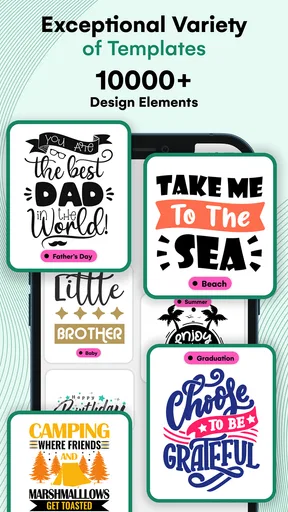
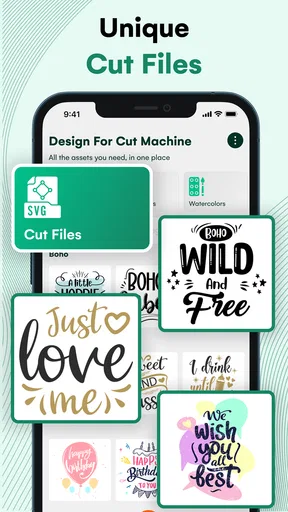
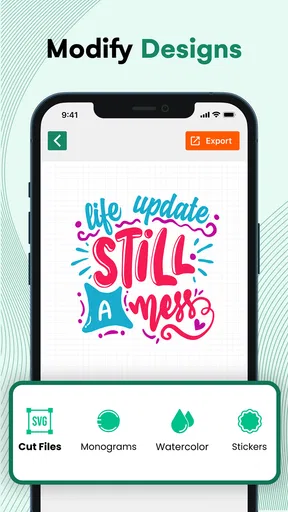
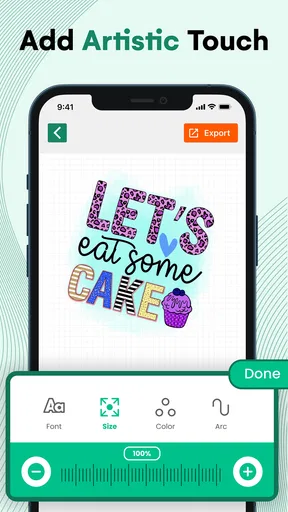
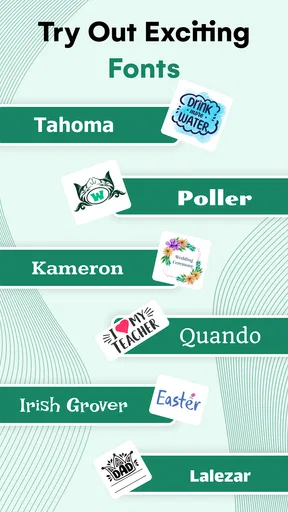
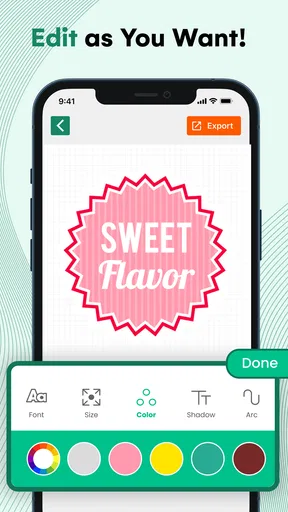
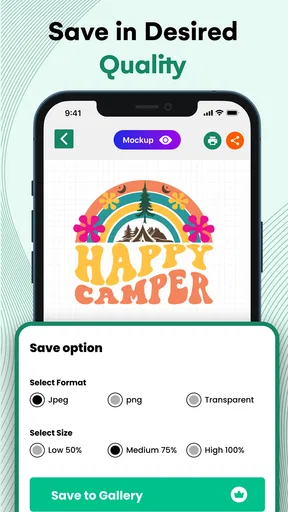
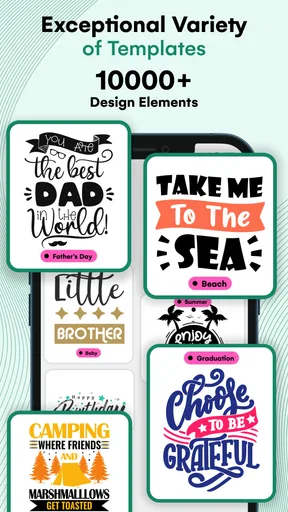
Our Review of Design Maker For Space Art
 Analysis by Appyee
I approached Design Maker For Space Art as a quick way to turn an ordinary visual idea into something suitable for a mug or another small creative project. It is an Android art and design app from Cards, aimed at people who want a guided starting point rather than a blank canvas full of professional controls. After working through its creative flow, I found it most useful when I already had a simple theme in mind and wanted to explore a finished-looking direction without building every element from scratch.
The space-art focus gives the experience a clear personality. Instead of feeling like a broad drawing studio, it points me toward cosmic compositions, decorative layouts and cut-style design ideas. That focus is helpful when I want a fast result, although it also means the app is not the best match for every kind of artwork. If my goal is detailed illustration, precise typography or complete control over print production, I would choose a more advanced editor. For casual personalized gifts, visual experiments and quick design drafts, however, the narrower purpose makes the first decision easier.
From a rough idea to a usable mug design
I find it easiest to get value from a focused design app when I decide what the finished object needs to say before I start arranging visuals. For a mug, that might mean choosing between a recognizable space-themed image and a simple decorative pattern. That choice keeps the first draft purposeful and sets up the next step: checking whether the composition will still read clearly at a glance.
Starting with the occasion and the visual direction
A realistic use case is a last-minute personalized gift. Imagine I want to prepare a mug for someone who likes planets, stars or science-fiction imagery. I may not have a polished sketch, a collection of suitable graphics or the patience to learn a complex design program. This is where the app makes sense: I can begin with the subject itself and let the available design approach guide my choices.
I would first decide what the design needs to communicate. A simple cosmic pattern can work as a decorative object, while a name, short message or recognizable central image may be more important for a gift. That distinction matters because a mug has limited visual space. A design that looks exciting across a large phone screen can become crowded when wrapped around a curved surface. I found it useful to think about the final object before adjusting the artwork.
The app is free to install, which makes this initial experiment low-risk. It is marked for Everyone, so its presentation is approachable for a broad audience rather than being aimed only at experienced designers. The current version is 13.1.0 and it runs on Android 8.0 or later, making it accessible on many older phones as well as newer devices. I still recommend checking the app on the actual phone that will be used for the project, because editing comfort depends heavily on screen size and touch response.
Building the first composition
The most practical way to use a focused design app is to work in passes. I start with the main visual idea, then look at balance, then consider whether the design will remain readable after it leaves the screen. With a space-themed concept, that usually means deciding whether the central subject should dominate or whether the background should carry most of the atmosphere.
A common mistake is to keep adding visual interest because the preview feels empty. Space imagery can encourage that habit: stars, planets and contrasting colors naturally invite more decoration. I prefer to leave breathing room around the key element. On a mug, quiet areas help the eye find the subject and reduce the chance that the final design feels like a busy wallpaper wrapped around a cup.
Another useful habit is to test the design at a smaller viewing size before considering it finished. If the main shape disappears when the preview is reduced, it may not have enough contrast or scale. If the design still reads clearly as a thumbnail, it has a better chance of surviving the transition from phone screen to physical object. This is a simple check, but it prevents a lot of disappointing handoffs later.
Using the cut-design idea carefully
The cut-design angle is more than a decorative label; it affects how I judge shapes and negative space. Clean silhouettes and clear separations tend to translate more reliably than delicate details. I look for areas where the background can define the subject, rather than relying on tiny lines that may become difficult to see in a small printed composition.
This also changes how I approach text. Instead of placing a long message inside a busy illustration, I would keep wording short and give it a strong visual position. A name, a brief greeting or a compact phrase is more practical than a paragraph. The app can help me reach a visual result quickly, but it cannot replace the judgment needed to decide what belongs on the final mug.
For a child’s craft activity, I might use the app as a starting point for choosing a theme and arranging a simple image. For a small club or informal event, it could help produce a shared visual direction before someone prepares the final artwork elsewhere. In both situations, the strength is speed and accessibility, not the kind of exact control expected from a professional production tool.
Managing the handoff from phone to finished object
The handoff is where many design apps become less straightforward. A phone preview is not the same as a printed mug, sticker, card or other physical item. Screen brightness can make colors look more vivid than they appear in print, and a curved surface can interrupt a composition. I would therefore keep important details away from the edges and avoid placing the focal point where the mug handle may cover it.
If another person is responsible for printing or transferring the design, I would send them the cleanest available result and explain how it should be oriented. A quick note about the front-facing side can prevent an attractive design from ending up turned away from the user. I would also ask the printer or craft service what file format and resolution they prefer before treating the app’s output as production-ready.
This is an important trade-off. A beginner-friendly design workflow can get me to a pleasing concept quickly, but the final manufacturing stage may require another application or a human adjustment. I see that as a normal handoff rather than a failure, provided I recognize it early. The app is strongest as the creative front end of the process, not necessarily as the entire print pipeline.
What the finished result feels like
When the composition is kept simple, the result can feel personal without requiring advanced drawing skills. The space-art theme gives the design an immediate mood, and the mug format turns that mood into something practical. I especially like the possibility of making a small gift feel considered even when I only have a short amount of time to work.
The result depends more on editing discipline than on the number of elements I can place. A restrained design with a clear subject usually feels more intentional than one filled with every available visual idea. I would make one version with the main image prominent, then a second with more open space, and compare them at the size of the intended object. That comparison often reveals which version is genuinely easier to live with.
For personal use, the app can also serve as a visual notebook. I might create a space-themed concept simply to test an idea for a later project, then hand the concept to someone with stronger illustration or printing skills. This makes it useful even when the app is not the final destination. It helps convert a vague thought into something another person can understand and refine.
Where the workflow becomes less comfortable
The focused design approach can feel limiting if I want to move far beyond space-themed artwork. Someone looking for a general poster editor, a full photo editor or a professional vector workspace will probably find the experience too narrow. The app’s appeal comes from reducing the number of decisions, but that same reduction can frustrate users who want to define every detail themselves.
I would also avoid assuming that a quick in-app result is automatically ready for commercial printing. Before ordering a large batch or paying for an expensive custom product, I would inspect the artwork at its intended size and confirm the printer’s requirements. A visually attractive phone preview does not guarantee perfect edges, color matching or placement on a curved mug.
The free entry point is welcome, but the app includes in-app purchases ranging from $0.99 to $99.99 per item. That broad range means I would pay attention to any purchase screen and decide whether the available free workflow already meets my needs. For a one-off personal project, I would be cautious about spending before I know exactly what additional value an optional purchase provides. The app is easiest to recommend when the user treats it as an accessible creative starting point rather than an unlimited professional suite.
Who will get the most from it
I think this app suits beginners who want a clear visual theme, casual creators making personalized objects and users who enjoy experimenting with cosmic artwork. It can also help someone who has an idea but struggles with the first step. Starting from a defined subject is often less intimidating than facing a completely empty canvas.
It is less suitable for a designer who needs detailed layer management, advanced typography, exact color preparation or a carefully controlled export workflow. In those cases, a full-featured illustration or layout application would be the better choice, even if it takes longer to learn. I would also skip this app if the project has strict brand rules or requires precise reproduction across many products.
The audience response suggests that the concept has found a reasonable balance for many users: the app carries an average rating of 4.4 from over 700 ratings and has passed 100 thousand installs. Those figures do not replace personal testing, but they do indicate that it is not an obscure experiment with no visible user interest. I see it as a specialized tool with a clear audience rather than a universal design replacement.
My practical routine for better outcomes
My preferred workflow is to make the first version quickly, without trying to perfect it. I then check three things: whether the central subject is obvious, whether the design has enough empty space and whether the text remains readable at a small size. Only after that would I spend time refining the arrangement. This avoids polishing a concept that was poorly balanced from the beginning.
I would also save a clean version before making decorative changes. That gives me a fallback if the final arrangement becomes too crowded. When handing the work to a printer, friend or craft partner, I would describe the intended front and back orientation in plain language and show a simple mockup if possible. The fewer assumptions involved, the smoother the transition from digital design to physical result.
One less obvious advantage is that the app can help with communication, not just creation. A rough space-art mug concept gives a collaborator something concrete to react to. They can say that the planet should be larger, the message should move or the background should be quieter. Without that visual starting point, feedback tends to remain vague and the project takes longer.
My final assessment
Design Maker For Space Art is a focused Android art and design app that I would recommend to someone who wants a friendly route from a cosmic idea to a personalized visual concept. Its free starting point, Everyone age rating and relatively approachable scope make it easy to try, while the space-oriented style gives the creative process a useful direction. Cards has built something that is more inviting for quick projects than an intimidating blank canvas.
My recommendation comes with a clear boundary: use it for exploration, personal designs and straightforward mug concepts, but do not treat it as a complete replacement for professional illustration or print-preparation software. The best results come from keeping compositions readable, planning the physical handoff and accepting that a printer or advanced editor may still be needed at the final stage.
For me, the app succeeds when the goal is not “create everything from nothing,” but “turn a simple space-art idea into something I can show, refine and possibly put on an object.” If that matches your project, it is worth trying. If you need exhaustive control, exact production specifications or a broad design studio, choosing a more specialized alternative will save frustration.
Verdict
Strengths of Design Maker For Space Art
- Simple tools make it approachable for beginners.
- Supports creative experimentation with space-themed compositions.
- Useful for making wallpapers, posters, and social media graphics.
- Visual effects can add depth and atmosphere to designs.
- Works well for quick projects without advanced design skills.
Limitations of Design Maker For Space Art
- Some features or assets may require in-app purchases.
- Detailed designs can be difficult on smaller phone screens.
- The space-focused style may feel limiting for other projects.
- Export options may not meet professional printing requirements.
- Complex compositions can become cluttered with too many effects.
Other Releases by Cards
View All
Cards - Mobile Wallet
Productivity4.6

Drawing Pad Lite - Artbook
Art & Design4.5

Phone Mirror app - True Mirror
Beauty4.6

Ghost Detector Pro Radar
Entertainment4.6
Similar Picks in This Category
View All
Canva: AI Photo & Video Editor
Canva4.8

PENUP – Drawing-sharing SNS
Samsung Electronics Co., Ltd.4.5

Crafto
Kutumb App4.6

Sketchbook
Sketchbook4.1

ibis Paint X
ibis inc.4.5

Adobe Express: AI Photo, Video
Adobe4.6
Frequently Asked Questions
What is Design Maker For Space Art?
Design Maker For Space Art is a creative design application focused on producing space-themed artwork, posters, wallpapers, social media graphics, and other visual projects. It typically provides templates, backgrounds, decorative elements, text tools, and editing controls that help users create designs inspired by planets, galaxies, stars, astronauts, and futuristic environments without requiring advanced graphic design experience.
Can beginners use Design Maker For Space Art without design experience?
Yes, the app is intended to be approachable for beginners. Users can usually start with a ready-made space template and customize its text, colors, images, and layout rather than creating everything from an empty canvas. However, the number of available tools and the quality of the final result may depend on how carefully elements are arranged and whether premium features are required.
What kind of projects can I create with this app?
Design Maker For Space Art can be useful for creating a variety of space-inspired visual projects, including phone wallpapers, profile images, invitations, posters, thumbnails, digital artwork, and social media posts. The exact export sizes and available formats may vary by device version and subscription plan, so users should check the app’s current options before preparing designs for printing or professional use.
Is Design Maker For Space Art free to download and use?
The application may be available as a free download, but some templates, graphics, editing tools, export options, or advertising-free features can be restricted behind in-app purchases or a subscription. Before downloading, review the store listing carefully for pricing, trial conditions, recurring billing details, and whether the free version adds watermarks or limits the resolution of saved designs.
Does the app require an internet connection?
Basic editing may work without a constant internet connection if the necessary templates and assets have already been installed on the device. An internet connection may still be needed to download additional content, load online resources, display advertisements, synchronize projects, or complete purchases. Users who plan to work offline should test the app first and save their designs locally whenever possible.
